 NicDrop
Quit nicotine without the white-knuckle part.
Tell NicDrop what you use and how many a day. Two minutes later you have a plan that steps down every week, a quit date, and a number for what it's costing you. Then it's one tap to log, and a three-minute SOS when a craving hits.
iPhone · iOS 15 or later · no account needed · free to start
How it works
Most quit apps are a counter and a lecture. NicDrop is a plan, a button, and a hand on your shoulder at the exact moment you need one.
Get a plan in two minutes
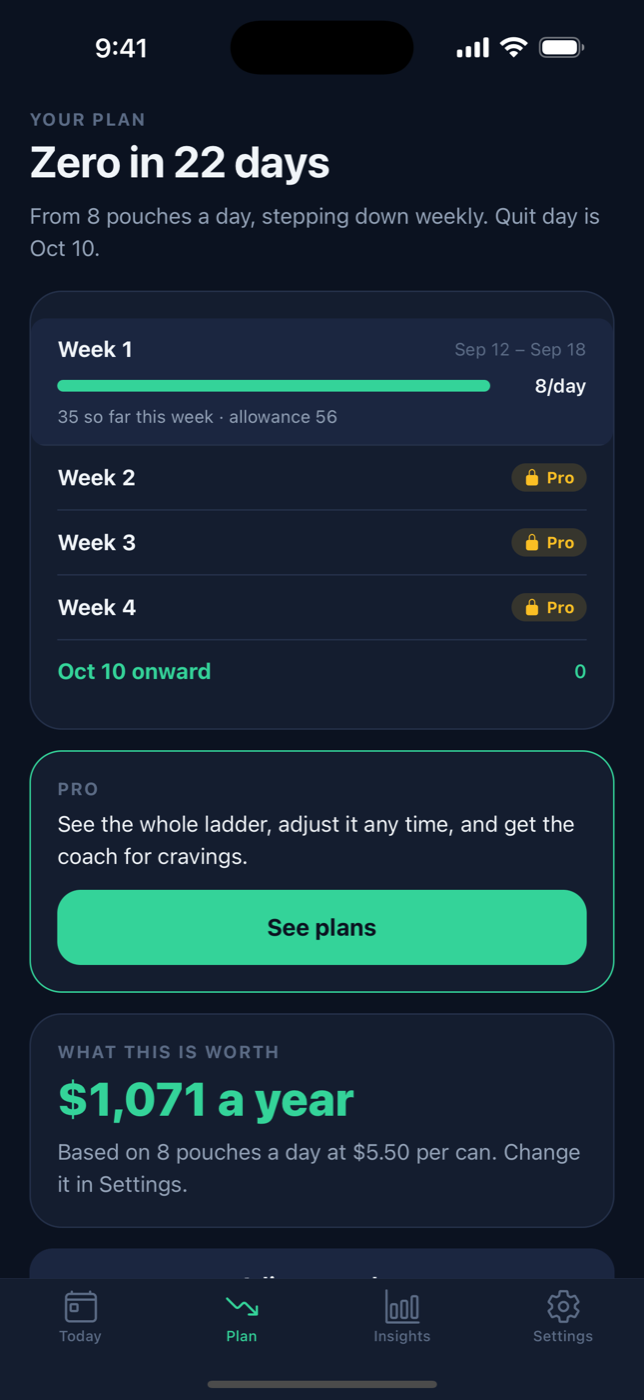
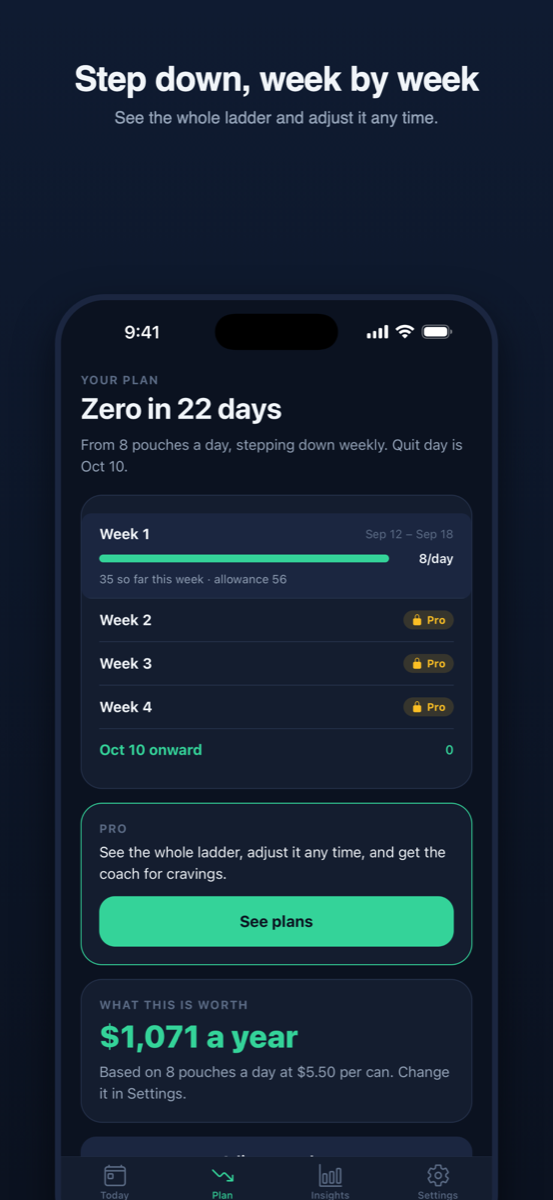
Pick what you use, your daily number and what a can or pod costs. NicDrop builds a weekly step-down ladder and a quit date — or a hard-stop date if you'd rather.
Log with one tap
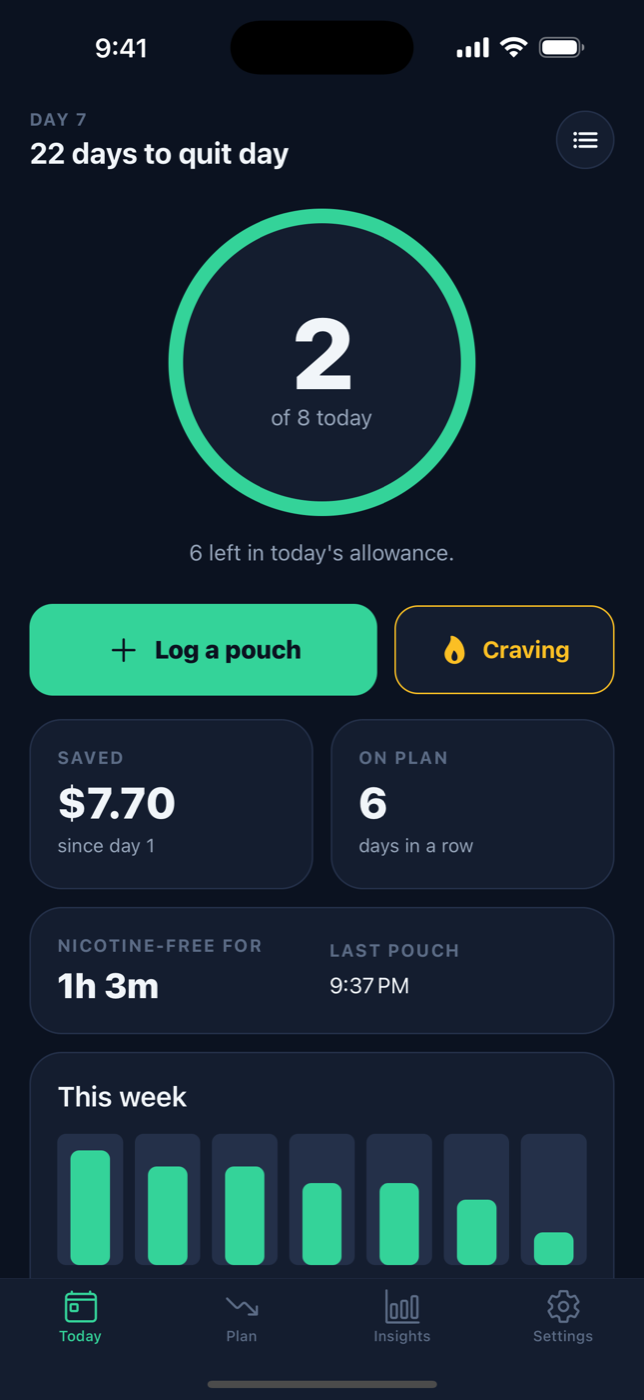
See today's count against today's allowance, your streak, money saved and how long you've been nicotine-free. Edit or backfill anything.
Beat the craving
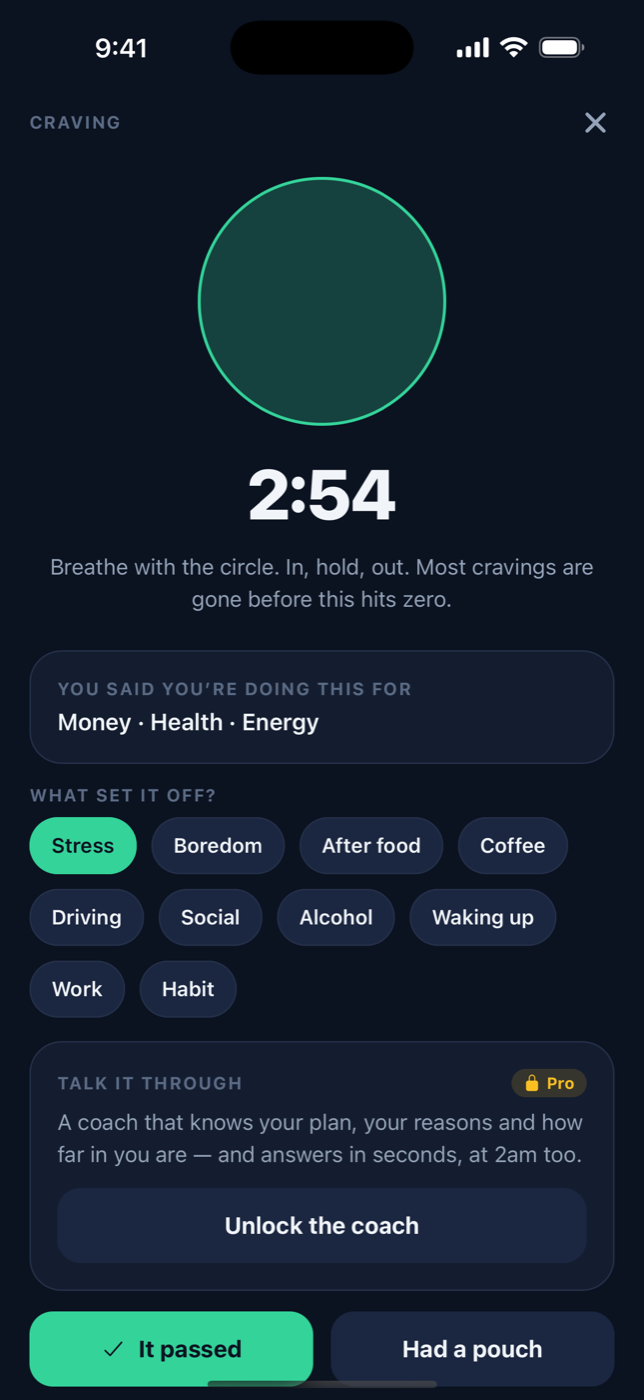
Cravings peak and pass in about three minutes. The SOS screen gives you a countdown, a breathing pacer, your own reasons — and a coach that talks you through it.
A number that goes down, not a wall you hit.
Cold turkey works for some people. For most, an allowance that shrinks every week is what actually sticks — you're never asked to do more than a little less than last week. Stretch the ladder any time; that's the plan working, not failing.
The three minutes that decide everything.
Tap Craving and you get a timer, a circle to breathe with, the reasons you wrote on day one, and a place to say what set it off. With Pro, a coach that knows your plan replies in seconds — at 2 a.m. too. Then you tell it whether it passed. Either answer is fine; both are data.
Everything on your phone
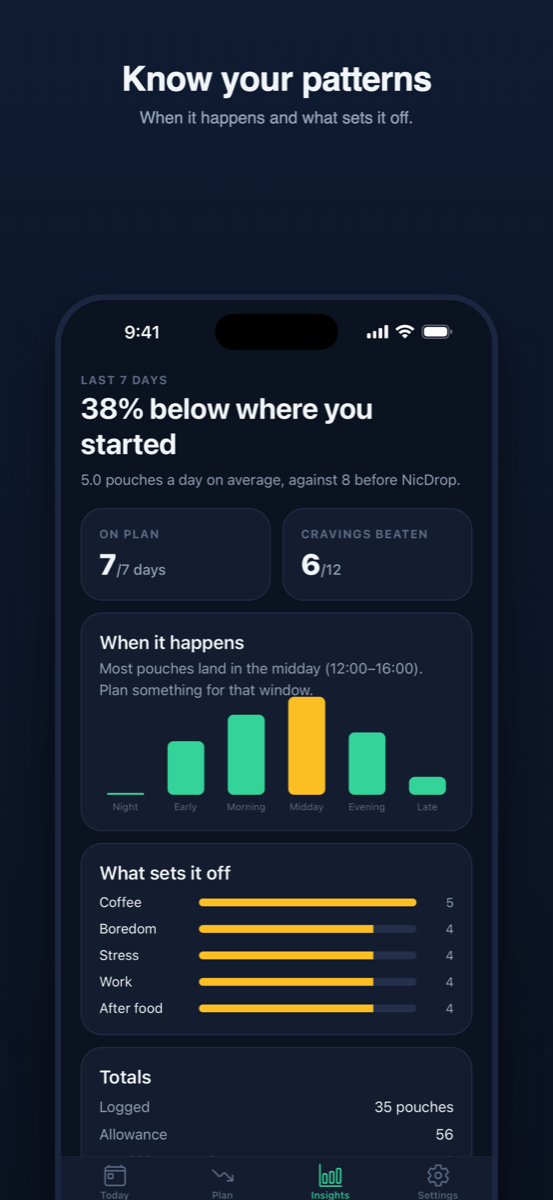
Insights by time of day and trigger, editable history, reminders you control one by one, and export whenever you want your data.
One price you'd actually pay.
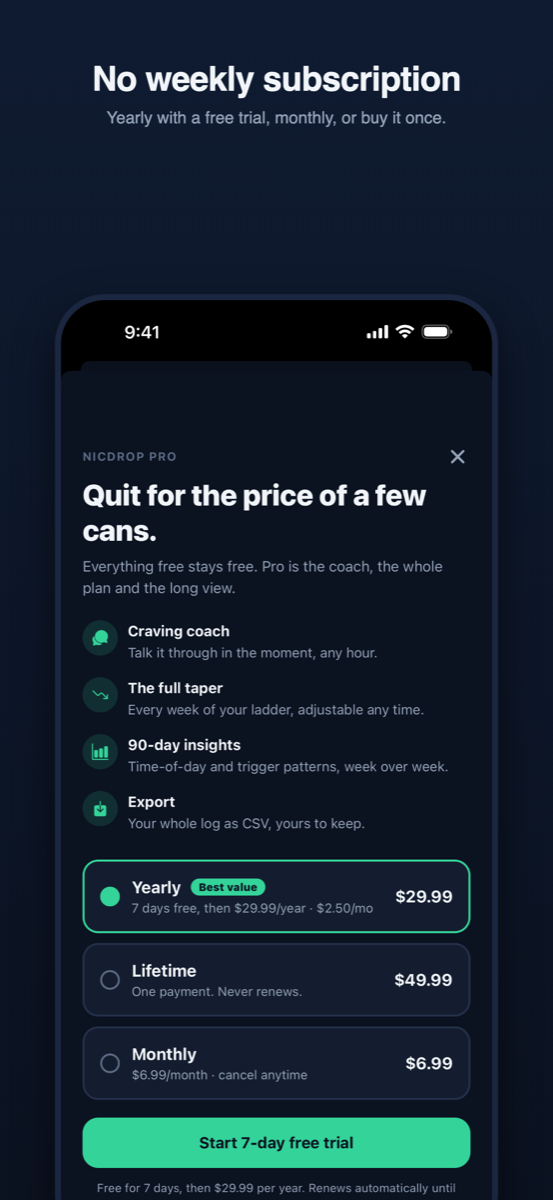
Other apps in this category charge $9.99 a week and hide the cancel button. NicDrop doesn't have a weekly plan, and everything free stays free.
Free
- Your plan, allowance and quit date
- One-tap logging and 7-day history
- Craving SOS timer and breathing
- Money saved and streaks
- All reminders
Pro
- Craving coach
- The full taper ladder, adjustable any time
- 90-day insights and patterns
- CSV export
Or $6.99 a month, or $49.99 once for life. Cancel in two taps from iPhone Settings.
Questions
Does it work for Zyn, Velo, snus, vapes, cigarettes?
Yes. You choose the product during setup and the app counts whatever your unit is — a pouch, a session, a cigarette — with the cost of a can, pod or pack for the money counter.
Do I need an account?
No. You're signed in anonymously on first launch; nothing asks for your name, email or phone number. Pro purchases are tied to your Apple ID, so Restore Purchases works after a reinstall.
Is the coach a real person?
No — it's an AI coach that knows your plan, your reasons and how far in you are, built to say something useful in the sixty seconds that matter. It never gives medical advice and points you to real help if you mention anything serious.
What happens to my data?
Your log lives under an anonymous ID and is used for nothing but showing it back to you. No ads, no tracking, no selling. Privacy policy.
Android?
iPhone first. If enough people ask, Android is next — tell us.